Overview
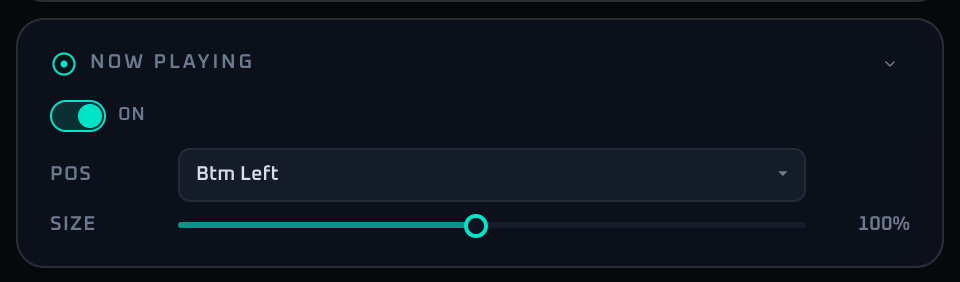
The Now Playing panel manages the track title and artist overlay. The control set is intentionally small—just visibility, position, and size—so it stays easy to operate during a live session. The data source is the recognition result from Song Detect, so nothing is shown until recognition has hit.
Because Now Playing is informational by nature, oversizing it competes with DJ Names and Lyrics for screen real estate. A common pattern is to keep it modest as a permanent badge, and only enlarge it for short emphasis moments.
Control Reference
- Visibility switch (label ON)
Toggles the Now Playing overlay. When off, the panel dims and the controls below are disabled. Stored values are preserved.
- Position selector (9 anchors)
Pick from Top-Left, Top, Top-Right, Left, Center, Right, Bottom-Left, Bottom, or Bottom-Right. Default is Bottom-Left.
- SIZE slider (10–200%, 5% step; internal value is twice the displayed value)
Sets the relative size. The UI shows 10 to 200%, but the value is stored at twice that scale (20 to 400). Permanent display reads well at 80–100%, peak emphasis at 150–200%.
- Collapse arrow
Minimizes the panel.
When To Use It
For short announcement moments, increase prominence temporarily; for long sessions, a smaller stable placement is easier to live with. If Song Detect is not hitting reliably, leaving Now Playing on can show stale titles, so confirm recognition quality before enabling it for the night.
If a workflow is unclear or missing, let us know through the contact form.
Automation-oriented features such as auto lookup and auto rotation unlock with Event Pass.